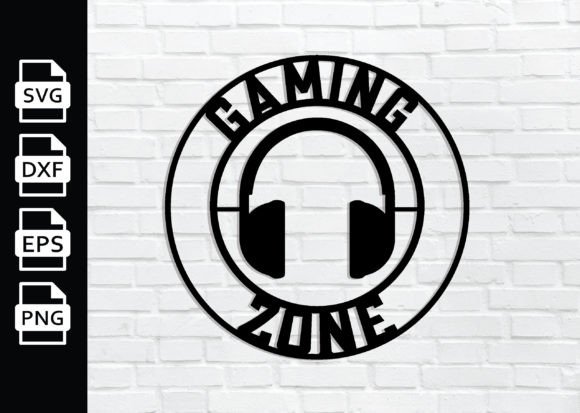
Gaming Zone Metal Wall Art: Creative Laser Cut Designs
Metal wall art has become a favorite medium for adding personality to spaces, and Gaming Zone Metal Wall Art brings a fresh, modern twist to interiors. Whether you are a designer building a themed room, a hobbyist exploring laser cutting, or a small business owner looking for unique products, this style of wall decor merges the energy of gaming culture with the precision of digital fabrication. The result is a piece that feels both personal and professional.
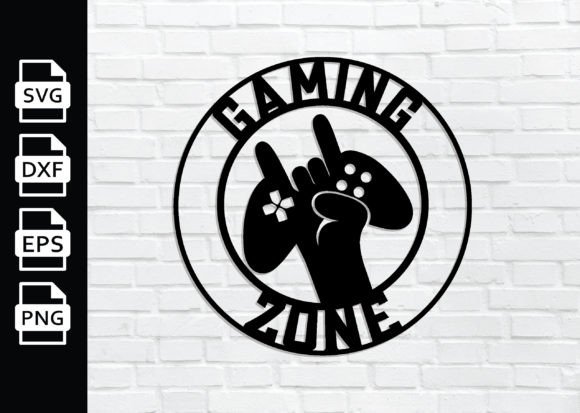
What makes this concept especially compelling is its versatility. The Gaming Zone Metal Wall Art laser cut approach uses vector files—SVG, DXF, PNG, and EPS—that you can run on a laser cutter, CNC router, or vinyl cutter. No physical item ships to you. Instead, you receive instant digital files ready to bring to life. This format gives you full control over material, size, finish, and final application.
What Makes Gaming Zone Metal Wall Art Unique
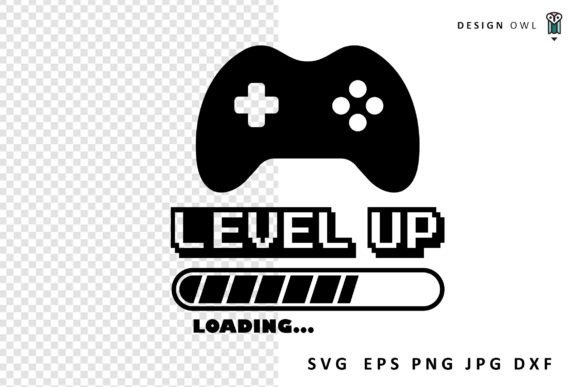
At its core, this wall art captures the visual language of gaming zones: controller silhouettes, pixel-inspired patterns, arcade motifs, level-up symbols, and abstract geometries that evoke the rhythm of gameplay. The laser cut design creates clean, sharp edges and allows for intricate details that would be difficult to achieve with other methods.
Because the files are provided as vectors, you can resize them without losing quality. Scale them down for a desk accent or enlarge them to become a statement piece above a gaming setup. The transparent background in the PNG file also makes it easy to preview your design against different wall colors or textures before cutting.
For creators, this means you are not locked into a single vision. You can adapt the same file to fit different spaces, materials, and budgets. A matte black steel finish reads industrial and bold. Brushed aluminum feels sleek and contemporary. Painted or powder-coated variations open up even more possibilities for matching existing decor.
Ways to Use Gaming Zone Metal Wall Art
The applications go far beyond a single wall hanging. Here are practical ways different users can make the most of these digital files.
Home Decor and Themed Rooms
If you are designing a gaming room, media lounge, or home office, this wall art acts as a visual anchor. Pair it with LED strip lighting behind the piece to create a halo effect that highlights the cutouts. The contrast between the metal and the illuminated background gives the artwork depth, especially in darker rooms.
For a minimalist approach, choose a single large piece with a clean silhouette. For a more dynamic look, create a gallery wall with multiple smaller pieces that share a common gaming motif. Because the files are vector based, you can easily adjust scale to maintain visual unity across different sizes.
Business and Retail Spaces
Small business owners and entrepreneurs can use Gaming Zone Metal Wall Art to brand a gaming cafe, esports lounge, or retail space. A wall sign cut from metal conveys durability and a modern aesthetic that resonates with the gaming audience. You can customize the design further by adding your business name or logo as part of the same cutting project.
Because the files come in SVG, DXF, and EPS formats, they integrate smoothly with most design software and cutting machines. This reduces production time and lets you iterate on variations quickly. If you offer made-to-order products, having a library of these files means you can respond to custom requests without starting from scratch.
Events and Pop-Up Installations
For event marketers or educators setting up a gaming booth at a convention or school fair, portable wall art that can be produced locally is a practical choice. You can cut the design from lightweight aluminum or even acrylic, making it easy to transport and install. The instant download format means you can produce the piece in a matter of hours rather than waiting for shipping.
Adapting the Design for Different Audiences
Not every space calls for the same tone. The flexibility of laser cut metal wall art lets you shift the mood through material and finish selection.
For a professional office where gaming culture might be more subtle, choose a brushed silver or copper finish and scale the design to a moderate size. The geometric nature of many gaming motifs reads as abstract art when stripped of overt branding, making it appropriate for shared workspaces or client-facing areas.
For a teenager’s bedroom or a personal streaming setup, bolder colors and larger scale work well. A black steel piece with a colored backing panel adds contrast without requiring paint on the metal itself. This approach keeps the fabrication straightforward while still delivering visual impact.
Freelancers and content creators producing video backgrounds or set designs can also use these files as templates for physical backdrops. A well-placed metal wall art piece adds texture and interest to a frame, making your stream or video look more polished without overwhelming the subject.
Practical Tips for Working with the Files
To get the best results from your Gaming Zone Metal Wall Art laser cut files, a few practical considerations help maintain quality and consistency.
- Check material compatibility. Not all metals cut the same way. Mild steel, stainless steel, and aluminum each require different power and speed settings on your laser cutter or CNC machine. Test a small section first to confirm the cut quality before running the full file.
- Simplify for larger scales. If you enlarge the design significantly, extremely thin details may become fragile in thicker metal. Consider adjusting the vector paths slightly to widen narrow sections, ensuring the piece remains sturdy after cutting.
- Use the PNG for mockups. The 300 DPI transparent PNG file is helpful for previewing your design in context. Overlay it on a photo of your wall or room to check proportions before committing to a final size.
- Organize your layers. If you edit the SVG or EPS in your design software, keep cut lines on a dedicated layer and any engraving or scoring marks on separate layers. This prevents accidental cutting of markings meant for etching.
- Consider mounting options. For indoor installations, adhesive-backed standoffs or magnetic mounting systems provide a clean, floating look. Outdoor applications may require more robust hardware and weather-resistant coating.
Keeping Your Results Clear and Effective
Whether you are producing one piece for your own home or a batch for a client project, consistency matters. Vector files maintain perfect geometry, but your setup and process introduce variables. Keep notes on your machine settings for each material type. If you produce multiple pieces of the same design, aligning them during mounting ensures the overall composition feels intentional.
Originality also comes from how you combine elements. The provided files are a starting point. You can layer them with other designs, rotate or mirror sections, or combine multiple motifs into a larger arrangement. Because the files are vector based, you can merge, subtract, or intersect shapes to create something that feels uniquely yours.
For educators teaching design or fabrication, these files serve as excellent practice projects. Students learn about vector editing, material properties, and machine operation while producing a finished piece that has real-world appeal. The gaming theme also engages younger learners who might otherwise find the technical aspects dry.
Why This Approach Works for Modern Creators
The instant download model removes barriers. You do not need to hold inventory, wait for shipping, or compromise on a pre-made design. You get the files, choose your material, and produce exactly what you envision. This is especially valuable for small businesses testing new products or for individuals who want a custom result without hiring a designer from scratch.
The format also supports sustainable practices. You can source metal locally, cut only what you need, and reduce waste by nesting smaller pieces within the same sheet. Leftover material can be used for test cuts or smaller projects, making the process more efficient overall.
From a design perspective, the gaming theme is broad enough to include many visual styles—retro arcade, modern minimalist, sci-fi, or abstract geometric. This means you can revisit the same file set multiple times and produce pieces that feel distinct each time just by changing the finish or scale.
Bringing Your Project to Life
If you are ready to start, open the SVG file in your preferred design software and review the paths. Adjust size according to your material sheet and machine capabilities. Run a test cut on cardboard or thin plywood to confirm the design reads well before committing to metal. This quick validation step saves material and gives you confidence in the final cut.
After cutting, deburr the edges and apply any desired finish. A clear coat protects the metal and preserves the look, while painted or powder-coated finishes add color and durability. For outdoor use, choose a finish rated for UV and moisture exposure.
Finally, mount the piece with care. Even spacing, level alignment, and appropriate hardware make the difference between a piece that looks amateur and one that looks intentional. If the design includes cutout areas, consider what shows through behind it—a painted wall, another metal layer, or a light source can all become part of the artwork.
Gaming Zone Metal Wall Art offers a practical, flexible way to bring a creative vision into physical space. Whether you are decorating a personal gaming zone, equipping a business, or teaching a new skill, these laser cut files give you a reliable foundation to build on. The combination of precise vector design, instant access, and adaptable fabrication makes it a smart choice for anyone working with digital cutting tools.