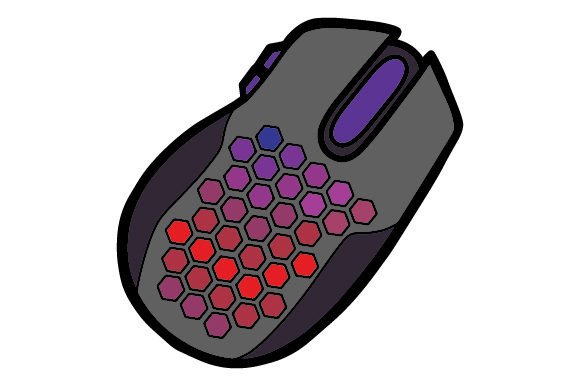
The Honeycomb Gaming Mouse: A Full Guide to Ultralight Design and Performance
In the world of competitive gaming, every millisecond counts and every gram matters. For years, gamers have sought peripherals that offer speed, precision, and comfort without unnecessary bulk. Enter the honeycomb gaming mouse—a design innovation that has reshaped how we think about mouse weight, airflow, and durability. But what exactly is a honeycomb gaming mouse, and why has it become a staple for serious players? This guide explores the purpose, benefits, and practical realities of this lightweight peripheral, helping you decide if it's the right tool for your setup.
What Is a Honeycomb Gaming Mouse?
A honeycomb gaming mouse is a computer mouse whose outer shell features a pattern of hexagonal cutouts, resembling a beehive. These openings are not merely decorative—they are engineered to reduce weight while maintaining structural integrity. The honeycomb pattern is typically applied to the top shell, the bottom base, or both, allowing manufacturers to strip away excess plastic without compromising the mouse's strength.
The concept emerged from the ultralight mouse movement, which prioritizes low weight for faster and more precise movements—especially in first-person shooters (FPS) and real-time strategy (RTS) games. By removing material in a strategic lattice, brands like Finalmouse, Glorious PC Gaming Race, and Cooler Master have created mice that weigh as little as 45 to 60 grams, compared to traditional gaming mice that often tip the scales at 80 to 120 grams.
Weight Reduction and Speed
The most obvious advantage of a honeycomb gaming mouse is its dramatically reduced weight. Lighter mice require less force to start moving and less effort to stop. In fast-paced games where you need to flick your aim or track a moving target rapidly, a lightweight mouse can improve both reaction time and accuracy. Many professional esports players have switched to ultralight honeycomb models precisely because the reduced inertia allows for quicker adjustments.
Enhanced Breathability and Grip
A lesser-known benefit is improved airflow. The open shell allows air to circulate around your palm and fingers, reducing sweat buildup during long gaming sessions. For players who experience clammy hands, this can be a genuine comfort upgrade. Additionally, the cutouts often provide a textured surface that enhances grip—especially for those who prefer a claw or fingertip grip style.
Structural Strength Without Bulk
Contrary to what you might expect, removing material does not automatically make a mouse fragile. The honeycomb pattern is an engineering staple known for its excellent strength-to-weight ratio. The hexagonal geometry distributes stress evenly, allowing the shell to resist flex and cracks despite being thinner and lighter. When properly designed, a honeycomb mouse can feel just as solid as a conventional one.
Customization and Aesthetics
Honeycomb shells also open up visual possibilities. Many models feature RGB lighting that shines through the cutouts, creating a striking glow effect that is visible even when your hand is on the mouse. This appeal to gamers who want a distinctive look for their battlestation is part of why the style has become so popular.
Common Misunderstandings About Honeycomb Mice
Despite their popularity, honeycomb gaming mice are sometimes misunderstood. Let's clear up a few common assumptions.
- "They are fragile." While it's true that the shell has openings, the materials used—typically ABS or polycarbonate plastic—are chosen for durability. Many honeycomb mice are rigid and can withstand everyday use without issue. However, they are not indestructible; dropping them from height or applying excessive force can cause damage, just as with any mouse.
- "They collect dust and debris." This is partially true. The holes can trap crumbs, dust, and skin cells over time. However, most honeycomb mice are easy to clean with compressed air or a soft brush. Some manufacturers also include removable dust filters or design the holes to minimize accumulation.
- "They are only for competitive gamers." While esports players have popularized them, casual gamers and even productivity users can appreciate the lighter weight and improved ventilation. If you spend hours at a computer, a honeycomb mouse might reduce fatigue, regardless of what you are doing.
- "The holes are uncomfortable." This varies by person. Some users feel the cutouts against their palm, especially if they use a palm grip. Others report that they cannot feel the holes at all once the mouse is in use. Many models now come with optional solid shells or silicone covers to accommodate different preferences.
How to Choose the Right Honeycomb Gaming Mouse
If you are considering a honeycomb gaming mouse, there are several factors to evaluate beyond just the look of the shell.
Weight and Size
Ultralight mice range from around 45 g to 75 g. Heavier models still offer weight savings over traditional mice but may suit users who prefer a bit more heft. Size also matters—a mouse that is too small or too large for your hand can cause discomfort and reduce control. Look for models that specify dimensions and grip style recommendations.
Sensor and Performance
The shell is just one part of the equation. A good honeycomb mouse should feature a high-quality optical sensor with low lift-off distance, high DPI range (at least 16,000 DPI), and accurate tracking. Popular sensors include the PixArt PMW3360 and the RAZER Focus+. Don't sacrifice sensor quality for weight savings—a light mouse with a poor sensor will not perform well.
Build Quality and Button Feel
Check reviews for information on button rattle, pre-travel, and post-travel. Honeycomb mice can sometimes have hollow-sounding clicks due to the reduced shell material. The best models use reinforced button designs and high-quality switches (such as Omron or Kailh) to maintain a crisp, tactile feel.
Cable vs. Wireless
Early honeycomb mice were predominantly wired, but wireless options have improved dramatically. Modern wireless mice with honeycomb shells can achieve low latency and long battery life—often exceeding 70 hours on a single charge. If you dislike cable drag, a wireless honeycomb mouse might be ideal, though it may be slightly heavier due to the battery.
Price and Brand
Honeycomb gaming mice span a wide price range—from budget models under $40 to premium offerings over $150. Brands like Glorious Model O, Cooler Master MM710, and HyperX Pulsefire Haste are known for reliable performance at accessible prices. High-end options from Finalmouse and Razer often include additional features like adjustable weight systems or proprietary wireless technology.
Practical Relevance: Gaming, Work, and Everyday Use
While honeycomb mice are marketed primarily to gamers, their benefits extend into other areas.
In Competitive Gaming
For FPS titles like Valorant, CS, Apex Legends, and Overwatch, the low weight translates to faster flick shots and easier tracking. Many top players have adopted ultralight mice, and the trend continues to grow. In RTS and MOBA games, the reduced fatigue can be equally valuable during long matches.
In Creative and Productivity Work
Designers, video editors, and anyone who spends hours navigating complex software can benefit from a lighter mouse. The reduced effort required to move the cursor can decrease wrist strain and fatigue. However, for precise tasks like pixel-perfect selections, some users prefer a heavier mouse for added stability. It is a matter of personal preference.
For Everyday Computing
If you use a computer for browsing, document editing, or general tasks, a honeycomb mouse might feel overly light at first. But many users adapt quickly and appreciate the improved ventilation and reduced weight during long workdays. It is worth noting that honeycomb mice are not typically designed with silent clicks or ergonomic thumb rests, so they may not suit everyone's daily driver needs.
Maintaining Your Honeycomb Gaming Mouse
To keep your mouse in good condition, follow these simple steps:
- Clean regularly. Use compressed air to blow out dust from the holes. For deeper cleaning, use a soft brush or a slightly damp cloth—avoid getting moisture into the internal components.
- Check for debris. If the mouse feels gritty or the scroll wheel becomes stiff, debris may have entered the housing. Disassembling (if possible) can help, but this may void the warranty.
- Replace feet when worn. The mouse feet (skates) on ultralight mice tend to be thin. Replace them periodically to maintain smooth gliding.
- Store carefully. Avoid placing heavy objects on top of the mouse, as the honeycomb shell can flex under extreme pressure.
The Future of Honeycomb Design
The honeycomb trend shows no signs of fading. Manufacturers continue to refine the concept, exploring new materials like carbon fiber composites and magnesium alloys to reduce weight further while increasing durability. Wireless technology is also advancing, with some ultralight wireless mice now reaching sub-60 gram weights—a feat that seemed impossible just a few years ago.
At the same time, some brands are moving toward partial honeycomb designs, where only specific areas of the shell are perforated to maintain a solid feel under the palm. This hybrid approach may appeal to users who want the benefits of reduced weight without the open texture.
Ultimately, the honeycomb gaming mouse represents a broader trend in peripheral design: optimizing for performance through minimalism. Whether you are a competitive gamer, a creative professional, or simply someone who values comfort during long computing sessions, understanding what a honeycomb mouse offers can help you make an informed choice.
Final Thoughts
A honeycomb gaming mouse is not just a gimmick—it is a functional design response to the demand for lighter, more responsive peripherals. By combining engineering principles with gamer-focused features, these mice have earned a legitimate place in the gaming world and beyond. If you have been curious about ultralight mice, trying a honeycomb model might change how you think about your setup. Just remember to consider size, sensor quality, and comfort before making a purchase—and do not forget to keep it clean.
Have you tried a honeycomb gaming mouse? What has your experience been like? Understanding the strengths and limitations of this design will help you decide if it belongs on your desk.